Audit Trail Automation for Finance Teams | FinanceCopilotHQ
Audit trail automation converts what was previously a manual, reconstructed documentation exercise into a systematic, continuous record that exists without any additional AP staff effort. For finance teams facing external audits, SOX compliance requirements, or internal control assessments, the difference between an automated audit trail and a manually reconstructed one is the difference between a confident, efficient audit response and a disruptive, labor-intensive evidence collection exercise. For a full platform comparison, see our Best AP Automation Software guide.
What it is: The automatic, immutable recording of every action taken in the AP workflow — who captured, coded, approved, and paid each invoice, at what time, from what system, and for what amount — creating a complete, tamper-proof evidence record without manual documentation effort.
Top tool for this use case: Tipalti for SOX-grade audit trail documentation integrated with global payment execution; Stampli for mid-market teams where cross-departmental approval documentation is the primary audit requirement.
Ideal company profile: Organizations under external audit, preparing for SOX compliance, or operating in regulated industries where transaction documentation requirements are formal and specific.
What Is Audit Trail Automation?
Audit trail automation is the automatic, continuous recording of every action taken in the AP system — invoice receipt, data capture, coding, approval, exception routing, payment authorization, and payment execution — with user identity, timestamp, IP address, and action details logged for every event. The resulting record is immutable: it cannot be edited, deleted, or altered after creation, which is the property that makes it credible as audit evidence.
In manual AP environments, audit trails are constructed retrospectively — AP staff pull email threads, search filing systems for paper approvals, and reconstruct the authorization chain for specific invoices when auditors request evidence. This reconstruction is labor-intensive, incomplete (many manual approvals are verbal or undocumented), and produces evidence of variable quality that auditors evaluate skeptically. Automated audit trails produce evidence of consistent, verifiable quality that satisfies audit requirements without any incremental effort at audit time.
Automated audit trails support multiple compliance requirements beyond SOX — GAAP, ASC 842 lease accounting, FCPA requirements for payment documentation in certain jurisdictions, and VAT audit requirements in European markets. The record created by AP automation can typically be used across all of these requirements without additional documentation effort, which compounds the compliance value relative to the implementation cost.
The Business Case
The direct cost of manual audit evidence preparation is measurable. APQC benchmarking of financial close and audit operations shows that organizations relying on manual AP documentation spend significantly more finance staff hours per audit day than those with automated records — because manual evidence requires extraction, organization, and verification that automated records do not. For a mid-market company with a two-week audit cycle, the labor difference between automated and manual AP audit trail documentation can represent 40–80 hours of Controller and AP staff time per audit.
Audit findings cost is the second dimension. Gartner’s internal controls research documents that audit findings related to AP documentation gaps — missing or reconstructed approval records, incomplete payment authorization trails — are among the most commonly cited AP control deficiencies in mid-market companies. Each finding requires remediation documentation, management response, and follow-up testing that compounds the audit cost beyond the immediate evidence preparation burden. Automated audit trails close the most common documentation findings proactively, before auditors encounter them.
Fraud investigation efficiency is a third benefit. When a suspicious payment requires investigation, automated audit trails allow finance teams to reconstruct the complete action history for the transaction in seconds — who entered the invoice, who approved it, who authorized the payment, and from what device — rather than spending days piecing together email trails and access logs. This investigation efficiency has material value in fraud response contexts where speed of detection and evidence preservation are directly correlated with recovery outcomes. Our AP Fraud Detection guide covers how automated trails support fraud investigation specifically.
Common Challenges
Audit trail completeness across systems. AP transactions that span multiple systems — capture in one platform, approval in an ERP, payment in a bank portal — may have audit trails in each system individually but no consolidated record that links the full transaction lifecycle. Auditors evaluating controls across the full AP workflow need a coherent trail, not separate fragments in separate systems.
Retention and accessibility. Audit trail records must be retained for the applicable statutory period — typically 7 years for most financial records in the US — and must be accessible in a format that auditors can review efficiently. Systems that archive records in formats requiring specialized software to read create audit access complications that delay evidence review.
Manual override documentation. When AP staff override an automated control — approving an exception, bypassing a matching hold — the audit trail must capture not just that the override occurred but who authorized it and on what documented basis. Systems that allow overrides without capturing the authorization rationale create the audit gaps that findings are built around.
How Software Solves It
Modern AP automation platforms address completeness through end-to-end transaction logging that covers every action from invoice receipt through payment execution in a single, unified record. Platforms with deep ERP bi-directional sync ensure that AP system actions and ERP posting actions are recorded in a linked record — so auditors can follow a single invoice from original submission through final GL posting without switching between systems.
Override documentation is handled through structured exception resolution workflows that require the approver to select a resolution reason from a configured list and optionally add a free-text justification before the override is recorded. This creates documented exception decisions rather than undocumented bypasses — the key distinction between an audit-defensible exception process and an audit finding.
Best Tools For Audit Trail Automation
Tipalti provides SOX-grade audit trail documentation across the full AP-to-payment lifecycle, with immutable user-stamped action logs, configurable retention policies, and reporting that allows auditors to pull complete transaction histories by vendor, amount, approver, or time period on demand. See our AP Automation Buyer Guide.
Limitation for this use case: Tipalti’s audit trail is most complete for transactions processed within its platform. For organizations where some AP transactions occur outside Tipalti — through the ERP, bank portal, or manual processes — the audit trail will have gaps unless those out-of-system transactions are also logged through Tipalti’s reporting framework.
Stampli provides strong approval and exception audit trail documentation, with every approval action, communication, and decision logged with user identity and timestamp. Its cross-departmental communication trail — capturing every question and response between AP, procurement, and approvers — is particularly valuable for exception documentation that external auditors examine closely.
Limitation for this use case: Stampli’s payment execution audit trail is less comprehensive than Tipalti’s. For SOX environments where the payment authorization trail — not just the invoice approval trail — is specifically tested, Tipalti’s payment-stage documentation is more complete.
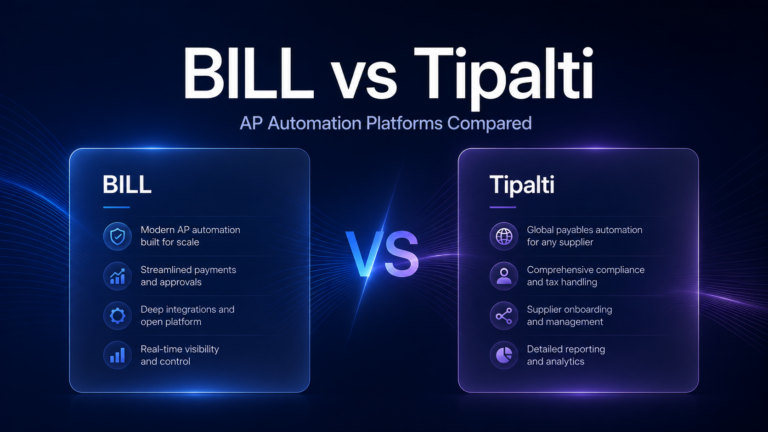
BILL maintains basic transaction audit trail documentation within its platform. See the BILL Review 2026.
Limitation for this use case: BILL’s audit trail documentation meets small business needs but falls short of the depth required for formal SOX controls testing. The level of detail — user identity, approval timing, override rationale — and the reporting capabilities for auditor access are more limited than Tipalti or Stampli.
Comparison Table
| Platform | Invoice-Stage Trail | Payment-Stage Trail | Override Documentation | Auditor Access Reporting | Retention Management |
|---|---|---|---|---|---|
| Tipalti | Best-in-class | Best-in-class | Strong | Best-in-class | Configurable |
| Stampli | Best-in-class | Strong | Strong | Strong | Standard |
| BILL | Moderate | Moderate | Basic | Basic | Standard |
Implementation Considerations
Define your audit trail retention policy before deployment, based on your applicable statutory requirements and contractual obligations. Configure the platform’s retention settings to match — and confirm that archived records remain accessible in an auditor-readable format throughout the retention period. Retention policy should be reviewed annually and updated when regulatory requirements change.
Override documentation requirements should be reviewed with your external auditors or internal audit team before go-live. Understand specifically what documentation is required to support an exception resolution as audit-defensible — the resolution reason, the authorizing individual’s identity, any supporting documentation — and configure the override workflow to capture all required elements at the time of resolution rather than requiring AP staff to add it retroactively.
Which Companies Need This?
Organizations under external financial statement audit have an immediate and ongoing need for automated AP audit trails — the alternative is recurring labor investment in manual evidence preparation and exposure to documentation findings. SOX-compliant organizations have a formal controls testing requirement that automated trails satisfy systematically. Regulated industries with transaction documentation requirements (financial services, healthcare, government contracting) have specific audit trail standards that manual processes cannot meet reliably at volume.
Frequently Asked Questions
How long do AP audit trail records need to be retained?
For most US companies, financial transaction records must be retained for 7 years under IRS regulations and general GAAP record-keeping requirements. SOX requires a 7-year retention period for all records relevant to financial statement controls. Some regulatory environments (SEC registrants, banks, healthcare companies) have specific retention requirements that may extend this period. Confirm your applicable requirements with your legal and compliance teams before configuring retention policies.
What does an auditor typically look for in an AP audit trail?
Auditors evaluating AP controls look for: evidence of invoice approval by an authorized individual (identity, timestamp, amount); evidence that the approver had appropriate authority for the amount approved; evidence that payment was authorized separately from invoice approval (segregation of duties); documentation of exception resolutions with rationale; and evidence that controls operated consistently throughout the audit period — not just for a sample of transactions selected for testing.
Final Recommendation
For organizations with SOX compliance requirements or active external audit obligations, Tipalti provides the most complete AP audit trail documentation across the full payment lifecycle. Stampli provides the strongest invoice-stage and approval documentation, particularly for environments where cross-departmental exception communication is a primary audit focus. In all cases, define retention policy and override documentation requirements before go-live — the value of an automated audit trail is its consistency, and consistency requires deliberate configuration. See our Best AP Automation Software guide for complete platform evaluations.