Invoice Capture Automation for Finance Teams | FinanceCopilotHQ
Invoice capture automation is one of the highest-leverage use cases in accounts payable. For finance teams still manually keying invoice data into their ERP, automating capture is the single fastest path to reducing processing cost, eliminating entry errors, and accelerating payment cycles. This guide evaluates what invoice capture automation actually involves, why it matters, which tools do it best, and what finance teams need to know before deploying a solution. See our full Best AP Automation Software guide for a complete platform evaluation.
What it is: Software that automatically extracts structured data from incoming invoices — vendor name, invoice number, amounts, tax, and due dates — using OCR, machine learning, and document intelligence, eliminating manual data entry.
Top tool for this use case: Vic.ai for high-volume teams prioritizing touchless processing; Yooz for document-heavy or multi-format environments.
Ideal company profile: Organizations processing 200+ invoices per month, particularly those in construction, professional services, distribution, or healthcare — or any company preparing for an audit or scaling internationally.
What Is Invoice Capture Automation?
Invoice capture automation is the process of using software to extract structured data from incoming invoices — vendor name, invoice number, line items, amounts, tax, payment terms, and due dates — without manual keying. Traditionally, AP staff received invoices by email, fax, or mail and typed the relevant fields into an ERP or spreadsheet. Capture automation replaces that manual step with a combination of optical character recognition (OCR), machine learning, and document intelligence that can process invoices in virtually any format: PDF, EDI, XML, image scan, or email attachment.
Modern invoice capture goes beyond basic OCR. Leading platforms apply AI to learn each organization’s specific vendor formats, improve extraction accuracy over time, flag exceptions when extracted data falls outside expected parameters, and route exceptions for human review without interrupting straight-through processing for clean invoices. The result is a system that handles routine invoice capture autonomously while escalating the edge cases that genuinely require human judgment.
Invoice capture is typically the first step in a broader AP automation workflow. Once data is captured and validated, it feeds downstream processes including three-way matching, approval routing, GL coding, and payment execution. The quality of what happens downstream depends heavily on the accuracy of what was captured at the entry point.
The Business Case
The cost gap between manual and automated invoice capture is substantial and well-documented. APQC’s benchmarking research consistently shows that top-quartile AP organizations process invoices at a cost of approximately $2.18 per invoice, while bottom-quartile teams — those still relying heavily on manual data entry — spend $10.89 or more per invoice. At 500 invoices per month, that gap represents over $50,000 in annual processing cost difference before accounting for error correction and exception handling labor.
Error rates compound the direct labor cost. Manual data entry in AP environments carries a documented error rate that generates downstream rework — miskeyed amounts, transposed invoice numbers, and missed due dates each create correction cycles that consume AP staff time disproportionate to the original error. Ardent Partners’ AP research has consistently identified exception handling as the leading time sink in accounts payable operations, accounting for more than 30% of total AP staff hours in organizations without automated capture. Eliminating the source of those errors at the capture stage is structurally more cost-effective than managing exceptions downstream.
Cycle time is the third dimension of the business case. IOFM data shows that top-performing AP teams achieve average invoice cycle times under three days, while median performers take 9.7 days from invoice receipt to approval. The gap is driven primarily by capture speed and accuracy — a clean, automatically captured invoice moves immediately into the approval queue, while a manually entered invoice waits for an available AP staff member. For teams exploring the broader AI opportunity in AP, our AI for Accounts Payable Automation guide covers how AI is reshaping the full capture-to-payment cycle.
Common Challenges
Invoice format variability. Vendors submit invoices in dozens of different formats, layouts, and delivery methods. A capture system that works well on standard PDF invoices often struggles with scanned paper invoices, non-standard templates, or invoices embedded in email bodies rather than attached as files.
Poor source document quality. Scanned invoices from fax or physical mail often have low resolution, skewed alignment, or partially obscured text. OCR accuracy drops sharply on low-quality inputs, and errors at this stage compound through the rest of the AP workflow.
Multi-language and multi-currency invoices. Organizations with international supplier bases receive invoices in multiple languages, with local tax fields, local date formats, and foreign currencies. Most basic OCR tools are not designed to handle these variations reliably.
Header-only vs. line-item capture requirements. Some organizations only need header-level data (vendor, total, due date) for their AP workflow, while others require line-item detail for project accounting, inventory matching, or contract compliance. Line-item capture is significantly harder and varies widely in quality across platforms.
ERP field mapping complexity. Captured data must map precisely to the fields expected by the target ERP. When the ERP has custom fields, multi-entity structures, or segment-based GL coding, the mapping configuration becomes a significant implementation challenge.
Exception volume overwhelming the efficiency gain. If a capture system’s accuracy rate is too low, the volume of exceptions routed to human review can exceed the manual workload it was intended to replace — a failure mode that damages AP team confidence in automation and slows adoption.
How Software Solves It
The best invoice capture platforms address format variability by training on large, diverse document datasets and applying template-learning algorithms that recognize vendor-specific layouts after seeing a small number of examples. Rather than relying on rigid field positions, they use contextual understanding to locate data elements even when layouts change between invoice versions. This adaptive approach is what separates modern AI-powered capture tools from legacy OCR systems that require manual template configuration for each vendor.
For quality and accuracy, leading platforms apply confidence scoring to every extracted field. Fields below a confidence threshold are flagged for human review, while high-confidence extractions pass through automatically. Over time, human corrections feed back into the model, improving accuracy on similar invoices in future processing cycles. Platforms like Vic.ai, Yooz, and Tipalti have invested heavily in this learning loop, with top deployments achieving touchless processing rates of 70% or higher after a six-month training period. For a direct comparison of these and other platforms, see our BILL vs Tipalti comparison.
ERP integration is addressed through pre-built connectors that map extracted fields to the correct ERP data structure automatically, with configurable rules for GL coding, cost center assignment, and entity routing. The strongest platforms maintain bi-directional sync with the ERP so that any changes to the chart of accounts or vendor master are immediately available during the capture and coding process.
Best Tools For Invoice Capture Automation
Vic.ai is the most AI-native invoice capture platform available. Its machine learning models train on each organization’s historical invoice data and improve continuously from AP staff corrections — making it the strongest choice specifically for capture accuracy at high volumes.
Limitation for this use case: Vic.ai requires a meaningful historical data foundation to perform at its best. Organizations with fewer than six months of clean invoice history, or those with disorganized historical data, will see underwhelming accuracy during the initial training period and should plan for a data preparation phase before deployment.
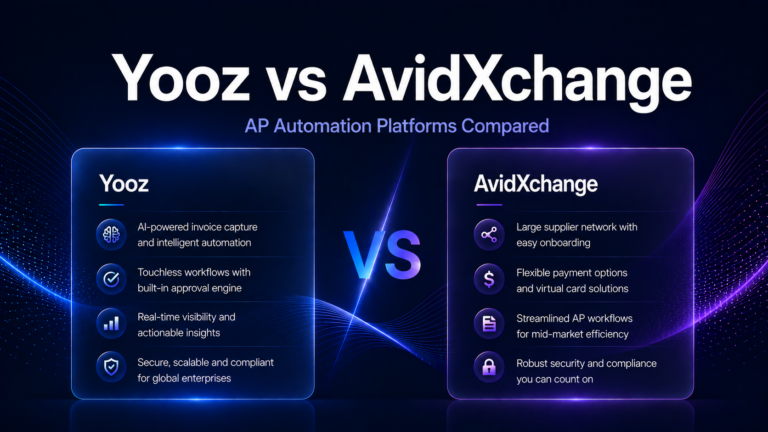
Yooz offers one of the strongest document intelligence engines in the market, handling invoices in virtually any format across multiple languages and 250+ ERP connectors — making it the capture-focused choice for organizations with high document format variability or non-standard ERP environments.
Limitation for this use case: Yooz’s payment capabilities are limited. It excels at invoice capture and processing but relies on the ERP or banking infrastructure for payment execution, which means it is best positioned as a capture and approval platform rather than an end-to-end AP solution.
Tipalti combines capture automation with the strongest global payment infrastructure in the mid-market. For teams that want capture as part of a single end-to-end AP-to-payment platform without managing multiple vendors, Tipalti is the most complete option. Read our full AP Automation Buyer Guide for a complete Tipalti evaluation.
Limitation for this use case: Tipalti’s capture capabilities, while solid, are not its primary differentiator. Teams whose main driver is maximizing touchless processing rates will find Vic.ai or Yooz produce higher extraction accuracy — Tipalti’s strength is the downstream payment and compliance layer, not the capture engine itself.
Stampli excels at capture combined with collaboration — its invoice communication thread and ERP-native approach make it the right choice for teams where exception handling and cross-departmental communication are as important as raw capture accuracy.
Limitation for this use case: Stampli’s AI capture accuracy, while improving, lags behind Vic.ai and Yooz specifically on unstructured or non-standard invoice formats. Organizations with highly variable vendor document quality may see higher exception rates with Stampli than with more capture-focused platforms.
BILL provides accessible entry-level capture automation for small businesses and accounting firms. Extraction accuracy is adequate for standard invoice formats, and the platform’s broad vendor network and QuickBooks integration make it easy to deploy for teams at the lower end of the volume spectrum. See the BILL Review 2026 for full details.
Limitation for this use case: BILL’s capture engine is OCR-based rather than AI-native, which means it does not learn from corrections over time and requires more manual intervention on non-standard invoice formats. It is not an appropriate choice for organizations with format-diverse vendor bases or volumes above 500 invoices per month.
Comparison Table
The table below compares leading invoice capture platforms across the criteria most relevant to this use case.
| Platform | AI/ML Capture Quality | Format Flexibility | Line-Item Extraction | ERP Connector Depth | Touchless Rate (Mature) |
|---|---|---|---|---|---|
| Vic.ai | Best-in-class | Strong | Strong | Major ERPs | 70%+ |
| Yooz | Strong | Best-in-class | Strong | 250+ connectors | 65%+ |
| Tipalti | Strong | Strong | Moderate | Native + custom API | 60%+ |
| Stampli | Strong | Moderate | Moderate | 70+ ERPs | 55%+ |
| BILL | Moderate | Moderate | Basic | QuickBooks, Xero, Sage | 40%+ |
Implementation Considerations
The most important implementation decision in an invoice capture project is email routing. Your AP email inbox — the address to which vendors send invoices — needs to be routed to the capture platform’s processing queue on day one. Getting this right requires coordinating with IT and, in some cases, updating vendor communication templates. Teams that delay this step often run hybrid processes for weeks after go-live, which creates reconciliation problems and undermines the adoption timeline.
ERP field mapping should be completed and validated before any invoices are processed in production. The configuration work involves mapping extracted fields to ERP segments, defining GL coding rules, and establishing vendor master matching logic. This configuration phase typically takes two to four weeks for a mid-market deployment and is where most implementation delays originate. Engaging your ERP administrator early — even before the capture platform contract is signed — compresses this timeline significantly.
Plan a formal accuracy validation period before declaring the implementation complete. Run a sample of invoices through the system, compare extracted data against source documents, and measure the exception rate by vendor, format, and invoice type. Use the findings to refine confidence thresholds and identify vendor formats that need manual template assistance. Teams that skip this validation phase frequently discover accuracy problems three months post-go-live when exception volume becomes impossible to ignore.
Which Companies Need This?
Invoice capture automation delivers its strongest ROI for organizations processing more than 200 invoices per month. Below that threshold, the implementation investment and the ongoing platform cost may exceed the labor savings from automation — though the accuracy and audit trail benefits remain valuable even at lower volumes.
Industries with high invoice variability — construction, professional services, distribution, healthcare, and manufacturing — benefit disproportionately from AI-powered capture because their vendor bases submit invoices in highly non-standardized formats. Organizations in these sectors often see more pronounced efficiency gains than companies in industries where invoice formats are more uniform.
Companies preparing for an audit, going through a PE-backed growth phase, or expanding into new geographies should prioritize capture automation early. The structured, timestamped data trail that automated capture creates is significantly easier to present to auditors than email inboxes and manual spreadsheet logs.
Frequently Asked Questions
What is the difference between OCR and AI invoice capture?
Traditional OCR converts scanned images into machine-readable text using fixed field positions or rigid templates. AI invoice capture goes further — it uses machine learning to understand document context, recognize vendor-specific formats without pre-configuration, improve accuracy from feedback, and flag anomalies that suggest data quality issues. For high-volume or format-variable environments, AI capture materially outperforms legacy OCR.
How accurate are modern invoice capture systems?
Header-level accuracy typically reaches 95–99% on standard PDF invoices with modern AI platforms. Line-item accuracy is lower and more variable, particularly on non-standard formats. Most platforms report touchless processing rates of 60–80% in mature deployments, meaning 20–40% of invoices require some level of human review or correction.
Does invoice capture automation require vendors to change how they submit invoices?
No. The best capture platforms are designed to accept invoices in whatever format vendors currently use. Requiring vendors to change their invoicing process creates friction and rarely improves outcomes. The value of good capture automation is precisely that it handles format variability on your end without burdening suppliers.
Can invoice capture work with supplier portals?
Yes. Many AP platforms offer supplier portals through which vendors submit invoices in structured formats, bypassing the capture step entirely at near-100% accuracy. Portal adoption rates vary — large vendors adopt quickly, smaller suppliers may continue submitting via email. A robust capture system handles both channels simultaneously.
How long does implementation take?
Most mid-market implementations go live in four to eight weeks. The primary variables are ERP integration complexity, vendor format variety, and whether a supplier portal is deployed alongside capture. Simple single-ERP environments can go live in two to three weeks. Complex multi-entity deployments may take 10–12 weeks to fully stabilize.
Final Recommendation
For teams processing more than 500 invoices per month with significant format variability, Vic.ai and Yooz are the strongest dedicated capture platforms. For teams that want capture as part of a fully integrated AP workflow, Tipalti and Stampli are the most complete mid-market options. Small businesses should start with BILL for accessible, low-overhead capture automation. Regardless of platform, prioritize ERP integration depth and post-implementation accuracy validation — those two factors determine whether capture automation delivers on its ROI promise more than any feature comparison. See our Best AP Automation Software guide to compare full platform capabilities before selecting a solution.